That Extender Isn't Extending Your WiFi — It's Extending the Problem
The back bedroom had one bar. You bought a $35 extender, plugged it into the hallway outlet, and now the bedroom shows three bars. Also, the video calls are worse, the smart TV buffers more, and your phone seems to hold onto the worst possible connection no matter where you stand.
This is not a defective unit. This is how extenders work.
What's Actually Happening Inside That Little Box
Most inexpensive extenders are repeaters. That means one set of radios does double duty: it listens to your router, then retransmits the same data to your device — on the same channel, on the same band.
Every packet crosses the air twice. In the best case you keep about half your throughput. In practice you get less, because the extender is also dutifully repeating your neighbors' interference and its own backhaul link is usually mediocre.
So the bar count went up. The actual usable bandwidth went down. Those two things are not the same measurement, and the bars give you no way to tell the difference.
The Two Mistakes That Almost Guarantee a Bad Outcome
Placement. People put the extender in the dead zone. It can't fix a bad signal, because a repeater can only repeat what it can hear. If its link back to the router is weak and noisy, it's amplifying a weak, noisy signal at full volume. It belongs roughly halfway between the router and the dead zone — closer to the router than you think.
Naming. If you cloned the router's network name, your phone has no idea which access point it's talking to. Devices are sticky by design: they cling to whatever they connected to first, until the signal basically dies. So your phone sits in the bedroom holding onto the distant router at one bar instead of switching to the extender sitting three feet away.
On top of that, cheap extenders usually don't support 802.11k, v, or r — the standards that help devices roam between access points intelligently. Without them, roaming is a coin flip.
If You Already Own One, Here's How to Make It Suck Less
Don't throw it out yet. Try these in order:
- Update its firmware. Yes, the extender has firmware too, and it's usually more neglected than your router's.
- Move it to the halfway point. Test with your phone standing next to it — if the speed there isn't at least half of what you get near the router, it's too far away.
- Use its Ethernet port if it has one. Most extenders can run in access point mode. That turns it into a real access point that doesn't halve anything — you just need a cable run to it.
- Give it a different network name. Manually switching networks is annoying, but it beats your phone silently choosing the worst option available.
- Match the security settings exactly — same WPA2 or WPA3 mode, same passphrase — or your devices will refuse to move between them.
- Never chain two extenders. Repeating a repeat is how you end up with 12 Mbps and a strong desire to read a book.
Honest verdict: as a temporary bridge to a garage camera or a printer in a back office, an extender is fine. As the backbone of a home network in 2026, it isn't.
The Better Option That Everyone Forgets: Mesh
A real mesh system uses a dedicated backhaul — usually a second 5GHz or a 6GHz radio — to talk between nodes, so client traffic isn't competing with node traffic. Add the roaming standards and a single network name, and devices hand off automatically as you walk around. Two-node kits run roughly $130 to $300.
One caveat: wireless mesh still loses some speed at each hop. It's just far less brutal than a repeater. And "mesh" has become a marketing word, so read the spec sheet — a cheap kit that uses one radio for both backhaul and clients is basically a prettier extender.
The Best Option: A Wired Access Point
The least glamorous, highest-performing answer. Run one Ethernet cable from the router to a central spot — ceiling or high on a wall — and mount a $60 to $100 access point there. Full speed, no halving, no roaming weirdness if you configure both radios with the same SSID and proper security.
If you own your place and have an attic or a crawlspace, this is the answer and it's been the answer for twenty years. If you rent, keep reading.
The Renter's Option: MoCA Over the Coax You Already Have
The cable TV era left coaxial jacks in bedrooms, living rooms, and kitchens all over the US — and a lot of them are still wired, just unused. MoCA adapters push network traffic over that coax at near-gigabit speeds. You need a pair, one at the router and one at the far end, plus a live jack in each location. No new wiring, no drywall, no landlord conversation.
Expect $60 to $100 per adapter. MoCA 2.0 is good for roughly 500 Mbps; MoCA 2.5 gets you around a gigabit in real-world use. If you're on cable internet, add a MoCA filter where the line enters the house.
Two caveats worth knowing before you buy: satellite TV setups can conflict with MoCA frequencies, and if the jacks in your rooms were never actually connected to each other, none of this works. Buy from somewhere with a return policy and test first.
The Also-Ran: Powerline
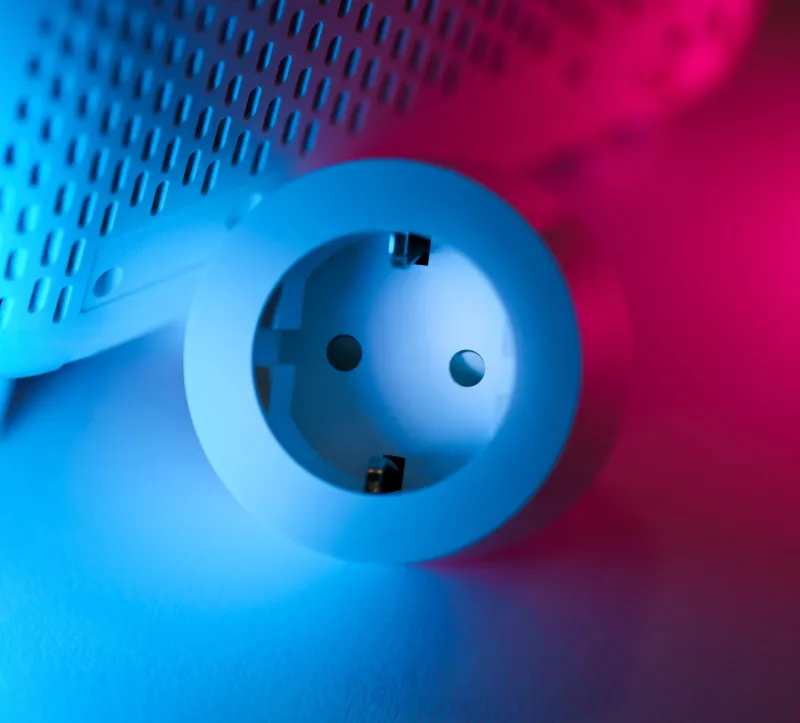
Powerline adapters send data over your electrical wiring. In a newer house on the same circuit, they can work acceptably. In an older house with noisy wiring and multiple circuits between rooms, they're a coin flip. It's a reasonable last resort if you have neither coax nor Ethernet — just know that you can't predict the result without trying it.
Four Questions Before You Buy Anything Else
- How far is the dead zone, and how many walls are between it and the router? Plaster, brick, and tile are the killers.
- Is there a coax jack in both rooms, and does it work?
- Is there any Ethernet already run — even one cable to a hallway closet?
- How many devices actually live in the dead zone?
If it's one phone and one printer, checked twice a day, a correctly placed extender may genuinely be enough. If it's a home office, a TV, a console, and a kid doing homework, stop patching and spend the money on mesh or MoCA.
The extender didn't fail because it was cheap. It failed because repeating a weak signal is a losing game — and no amount of extra bars on your phone changes that.