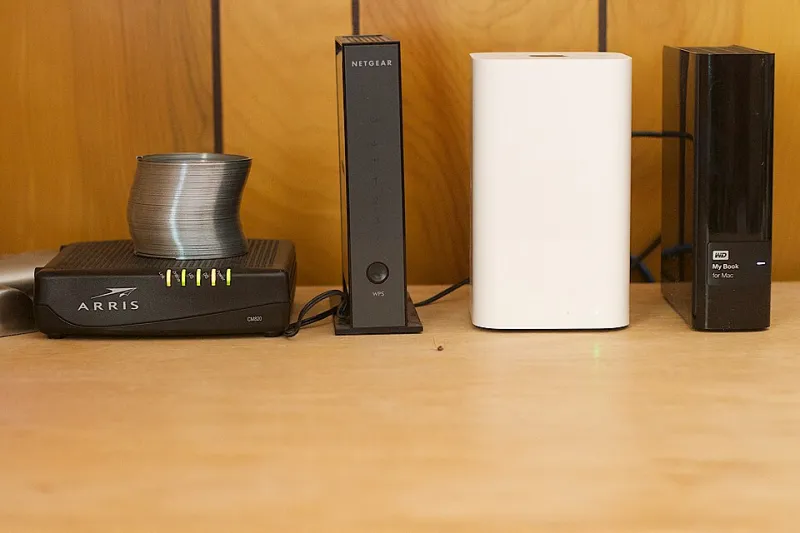
Your Lease Can't Ban Your Router: What the FCC Says About WiFi Rights in HOAs and Apartments
Photo: Yoichi Okamoto, Public domain, via Wikimedia Commons
Picture this: you move into a nice condo complex in suburban Ohio, unbox your shiny new mesh system, and get a polite-but-firm email from the property manager. "WiFi equipment is not permitted outside the unit." Or worse — you're told the building's "bundled internet" is mandatory, and your monthly fee just quietly doubled.
Here's the thing a lot of American renters and owners don't know: there's a federal law that has your back.
The Rule That Property Managers Don't Like Talking About
It's called the FCC's Over-the-Air Reception Devices rule — usually shortened to OTARD — and while it's best known for protecting satellite dishes and TV antennas, it has real implications for anyone living under an HOA or in a managed community.
The broader principle behind it is simple: restrictive covenants and lease terms generally can't block you from installing or using communications equipment on property you rent or own, as long as it's for your own use. HOAs can enforce reasonable, non-creepy aesthetic rules — "no 40-foot antenna tower in the front yard" is fine — but blanket bans on the equipment itself run into federal preemption.
For routers and mesh nodes inside your apartment? That's even clearer. Unless you're interfering with neighbors or violating fire code, a lease clause that says "no personal WiFi equipment" is mostly unenforceable theater. Landlords can require you not to damage walls, not to drill through fire-rated drywall, and not to run cables through hallways. They can't make you rely on their router.
When the Building Is the ISP
The thornier situation is "bulk billing" — that arrangement where a condo or apartment complex signs an exclusive contract with one internet provider and tacks the fee onto your HOA dues or rent. It's increasingly common, and it's exactly why some buildings have blazing-fast gigabit service while the unit next door is stuck on a slow, overpriced plan with no alternative.
A few things worth knowing:
- Exclusive marketing contracts are legal, but they typically can't prevent you from getting service from another provider yourself.
- "Mandatory" bundled internet is a gray area that depends heavily on your state's landlord-tenant law. Some states have cracked down on it; others haven't.
- The FCC has proposed rules to rein in bulk-billing abuses, and several state legislatures have taken up the issue — so this space is actively changing.
Read your HOA covenants and lease before you sign anything. Look for phrases like "exclusive provider," "mandatory service," or "no ancillary antennas." Those are your red flags.
How to Actually Negotiate a Better Setup
Complaining rarely works. Paperwork does. Here's the playbook:
1. Get it in writing. Ask the HOA or landlord to point to the specific covenant or lease section restricting your equipment. Half the time, it doesn't exist — the "rule" was a manager's mood that day.
**2. Frame it as a building improvement, not a personal favor." Strong WiFi raises property values and renter satisfaction" sounds a lot better to a condo board than "I want faster downloads." Some HOAs have even been persuaded to invest in shared infrastructure — distributed antenna systems, modern cabling in common areas — once someone made the business case.
3. Know the interference line. The one legitimate reason a neighbor or building manager can come after your setup is actual radio interference — say, your router stomping on the building's access control system. Using the 5GHz and 6GHz bands and keeping your gear updated puts you well clear of that.
4. Escalate smart. If an HOA is enforcing an illegal restriction, state attorney general offices and the FCC's consumer complaint portal both take these seriously. Most disputes never get that far — a calm letter citing the OTARD rule works wonders.
The Bottom Line
The signal in your living room belongs to you. A community association can tell you what color your front door is; it can't tell you that your internet has to run through equipment they picked. Know the rules, keep your paperwork handy, and don't let anyone convince you that your router is a privilege instead of a right.