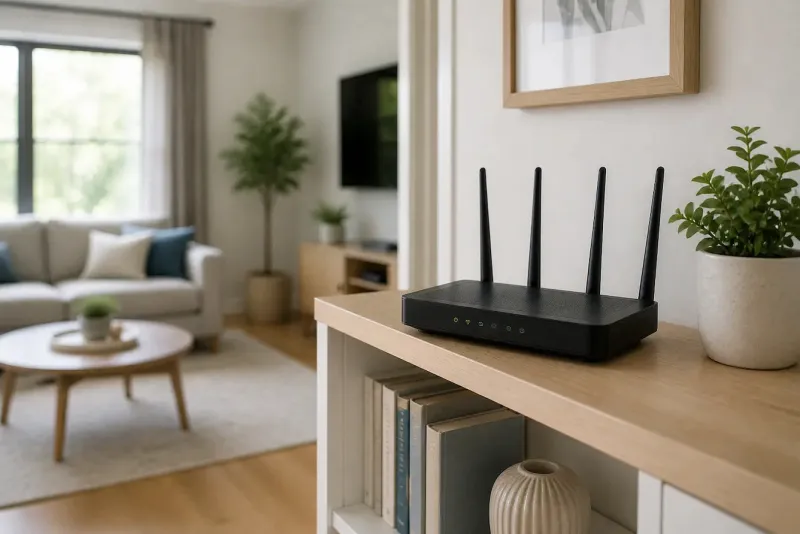
Why That Router Looked Perfect on YouTube and Completely Flopped in Your House

Photo by Photo by Vitaly Gariev on Unsplash on Unsplash
You watched the video three times. The reviewer set up the router, ran a speed test from across the house, and pulled numbers that looked like something out of a fiber optic dream. So you ordered the same model, plugged it in, and... your Zoom calls still freeze. Your 4K stream still buffers. Your kids are still yelling at you from the other end of the house about the WiFi being broken.
Welcome to the router upgrade trap. It's one of the most frustrating experiences in consumer tech, and it happens constantly. The gap between what a router does in a controlled demo and what it does in your actual home is enormous — and nobody in the marketing chain has a strong incentive to tell you about it.
How Router Testing Actually Works (And Why It Doesn't Match Your Life)
When a manufacturer tests a router to produce the speed figures on the box or in a press release, the setup is about as far from a real American home as you can get. We're talking open rooms with minimal interference, devices positioned at specific distances with clear line of sight, and testing environments designed to produce the best possible outcome.
Those massive speed numbers — the ones printed in bold on the packaging — represent the theoretical maximum under near-perfect conditions. The router isn't competing with your neighbor's WiFi. There's no microwave cycling on and off. No one is running a video call on one device while streaming music on another while a Ring camera pings the network every 30 seconds.
YouTube reviewers often work in similar conditions, whether they realize it or not. A reviewer testing a router in a clean studio apartment with two devices and a gigabit connection is going to see results that look amazing. That's not deception, exactly — it's just a completely different scenario than a 2,400-square-foot house in the suburbs with 22 connected devices, a concrete basement, and an HVAC system that eats 2.4 GHz signals for breakfast.
The Variables Nobody Mentions in the Unboxing Video
Here's a short list of things that quietly destroy real-world router performance that almost never come up in marketing materials:
Building materials. Drywall is relatively WiFi-friendly. Plaster walls, brick, concrete, and even older insulation types can dramatically reduce signal strength between rooms. If your home was built before 1980 or has any kind of dense wall construction, you're fighting physics that no router spec sheet accounts for.
Interference from neighbors. In a dense suburb or apartment building, you're sharing the same radio spectrum with dozens of other networks. A router that performs beautifully in a rural test environment can choke when it's surrounded by 40 competing signals.
Device diversity. Modern routers are optimized for newer devices that support the latest WiFi standards. If you've got a mix of smart plugs, older laptops, budget tablets, and a gaming console all trying to connect, the router has to accommodate all of them — often at the expense of peak performance.
Your ISP's actual speeds. A router upgrade does nothing if your modem is the bottleneck, or if your ISP is delivering half the speeds you're paying for. Plenty of people have upgraded to a top-tier router only to discover the real problem was sitting upstream the whole time.
So Why Do Upgrades Sometimes Feel Like Magic?
It's worth being fair here: router upgrades genuinely do help a lot of people. If you've been running a router from 2016 that only supports older WiFi standards, moving to a current-generation device can make a real, noticeable difference — especially if you've added a lot of newer devices to your network over the years.
The issue isn't that routers are bad. It's that a router upgrade is a targeted solution, not a universal fix. It works brilliantly when the router is actually the problem. It does almost nothing when the problem is placement, interference, ISP throttling, or a device that's fundamentally too far from the signal source.
The unboxing video works because the reviewer's setup is already optimized in every other way. The router is the variable, and it performs accordingly. In your home, there are a dozen variables — and dropping in a new router only changes one of them.
How to Actually Evaluate Whether You Need a New Router
Before you buy anything, do a little detective work. This is the part the influencers skip because it doesn't make for great content, but it's genuinely the most useful thing you can do.
Run a speed test at your router. Plug a laptop directly into your router with an ethernet cable and run a speed test at speedtest.net. If the wired speeds match what you're paying for, your router is receiving the signal just fine — your issue is likely wireless distribution, not the router itself.
Check your dead zones. Walk around your home with your phone's WiFi signal indicator open. If you're losing signal in specific rooms, a mesh system or better router placement might help more than a router upgrade.
Look at your router's age and standards. If your router is more than five or six years old and you've added smart home devices, work-from-home setups, or streaming boxes since then, an upgrade is probably worth it. If your router is two years old and supports WiFi 6, you're unlikely to see meaningful improvement from swapping it out.
Count your connected devices. A budget router handling 30 connected devices is going to struggle no matter how well-placed it is. But a mid-range router with better device management might solve that problem for a fraction of what the premium model costs.
The Honest Bottom Line
Router manufacturers aren't exactly lying to you — but they're not telling you the whole story either. The gap between a lab test and a real kitchen full of appliances, thick walls, and competing signals is massive. Influencer reviews, while often genuinely helpful, typically reflect testing conditions that don't match the complexity of most American homes.
The smartest move before any router purchase is to spend 20 minutes diagnosing what's actually wrong. Nine times out of ten, the problem has a name, and that name tells you whether a new router will fix it or whether you're about to spend money on a very expensive non-solution.
Your network deserves a real fix — not just a new box to put on the shelf.