Paying for Gigabit but Getting Dial-Up? Here's Where Your Speed Actually Goes

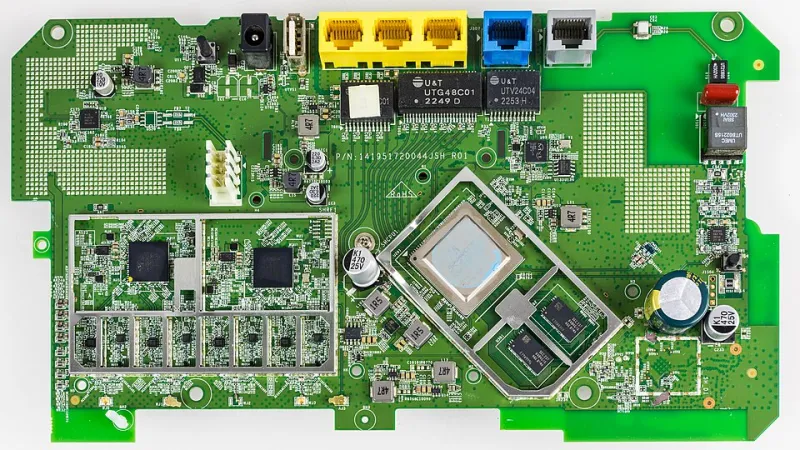
Photo: Jan Vašek, CC0, via Wikimedia Commons
You're shelling out north of $80 a month for a "gigabit" internet plan. Your ISP's website has a shiny marketing page with words like "blazing fast" and "ultra-reliable." Yet every time you try to stream a 4K movie or jump on a video call, things feel... sluggish. You run a speed test and stare at the results like they personally offended you.
You're not alone. Millions of Americans pay premium prices for internet speeds they never actually experience. The gap between what's advertised and what's delivered is real, it's frustrating, and — here's the good news — it's mostly explainable. Let's break down where your bandwidth actually goes.
The "Up To" Clause Nobody Reads
Start with the fine print. Every internet plan advertised in the US comes with a quiet little disclaimer: speeds "up to" whatever number they're selling. That phrase does a lot of heavy lifting. It means the speed is theoretically possible under perfect conditions — not what you'll consistently get on a Tuesday night when your whole neighborhood is binge-watching the same new Netflix show.
ISPs provision their infrastructure based on the assumption that not everyone will use their full bandwidth at the same time. It's similar to how airlines overbook flights. Most of the time it works out. But during peak hours — typically evenings between 7 and 11 PM — that shared infrastructure gets congested, and your "gigabit" plan starts feeling more like something from the early 2000s.
This is called network congestion, and it's one of the most common culprits behind slow speeds that have nothing to do with your home setup.
Your Router Is Probably Lying to You (Sort Of)
Here's something router manufacturers don't exactly advertise: those big speed numbers on the box? They're theoretical maximums calculated in lab conditions. A router labeled "WiFi 6 — 6 Gbps" isn't going to push 6 gigabits to your phone. Ever.
Those figures represent the combined capacity across all bands and streams simultaneously. In the real world, your devices connect to one band at a time, walls eat signal strength, and interference from neighboring networks degrades performance further.
Distance matters enormously, too. WiFi signal strength follows what's called the inverse square law — double the distance from your router, and signal strength drops to roughly a quarter of what it was. That means your laptop in the bedroom at the far end of the house might be working with a fraction of the signal available right next to the router.
The Device Problem Nobody Talks About
Even if your router is top-of-the-line and your internet plan is legitimately fast, your devices can be the bottleneck. Older laptops, budget smartphones, and cheaper smart home gadgets often have WiFi radios that max out well below what your network can actually deliver.
A five-year-old laptop with a WiFi 5 adapter pulling a single spatial stream might cap out around 150–300 Mbps regardless of what your router is capable of. Your shiny new 1 Gbps plan doesn't change that ceiling.
Check your device specs before assuming the network is the problem. On Windows, you can open the Network & Internet settings and look at your WiFi adapter properties. On a Mac, hold Option and click the WiFi icon to see the connection details, including your current PHY mode and link speed.
ISP Throttling: Is It Real?
Throttling gets thrown around a lot in tech conversations, and yes, it's a real thing — though it's more nuanced than "your ISP is secretly slowing you down for fun."
Some ISPs do apply throttling to specific types of traffic, particularly video streaming, during peak hours or once certain data thresholds are hit. Since the rollback of net neutrality rules in the US, ISPs have had more latitude to manage traffic this way. It's legal, and some do it.
A decent way to test for this: run a standard speed test at speedtest.net, then run a test specifically designed to detect throttling, like the one at fast.com (operated by Netflix) or use the Wehe app, which was developed by researchers at Northeastern University specifically to detect app-specific throttling. If your Netflix test clocks in significantly slower than your general speed test, that's a red flag worth investigating.
How to Actually Diagnose Your Real-World Speed
Okay, enough theory. Here's a practical diagnostic checklist you can run right now.
Step 1: Test at the source. Plug a laptop directly into your modem or gateway via ethernet and run a speed test. This eliminates WiFi as a variable entirely. If speeds here are dramatically lower than your plan promises, the issue is upstream — your ISP, your modem, or the line coming into your home.
Step 2: Test at the router. Connect via ethernet to your router (not the modem) and test again. A big drop here might point to a router performance issue or a misconfigured setting.
Step 3: Test over WiFi at close range. Sit right next to your router and run the test wirelessly. This gives you a baseline for your WiFi performance under ideal conditions.
Step 4: Test in the spot you actually use. Now go to your usual spot — the couch, the home office, wherever — and test again. Compare this number to Step 3. That difference is the real cost of distance and obstacles.
Step 5: Test at different times of day. Run the same test at 10 AM and again at 9 PM. A significant drop in the evening is a strong indicator of ISP-level congestion.
Document all of these results. If you're seeing consistent underperformance at Step 1, you have a legitimate case to bring to your ISP — and potentially grounds to negotiate a credit or demand a technician visit.
Small Changes That Actually Help
Once you know where the bottleneck is, you can target it specifically. A few quick wins:
- Reposition your router. Central placement, elevated off the floor, and away from thick walls and appliances makes a measurable difference.
- Switch to the 5 GHz band. If you're close to your router, the 5 GHz band offers significantly faster speeds than 2.4 GHz, though with shorter range.
- Update your router firmware. Manufacturers regularly push performance and stability improvements that most people never install.
- Limit background bandwidth hogs. Streaming devices, cloud backup apps, and automatic OS updates can silently consume bandwidth during your most important usage moments.
- Consider your plan realistically. If you have eight devices active simultaneously, a 100 Mbps plan may genuinely not be enough — no amount of optimization will fix a math problem.
The bottom line? Your ISP, your router, your devices, and your home layout are all working against each other in ways that make that advertised speed basically a fantasy. But once you understand where the losses happen, you stop blaming ghosts and start fixing the actual problems. That's what having power over your network really means.