More Hardware, More Problems: The Truth About WiFi Extenders Slowing You Down
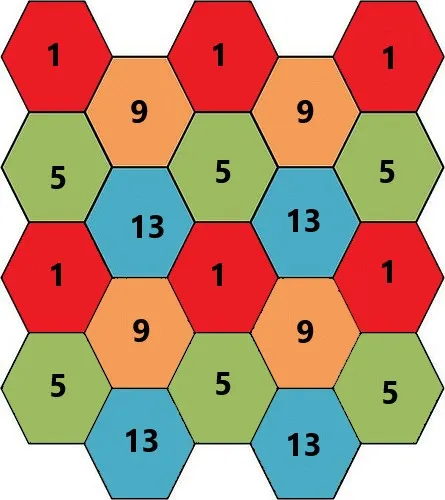
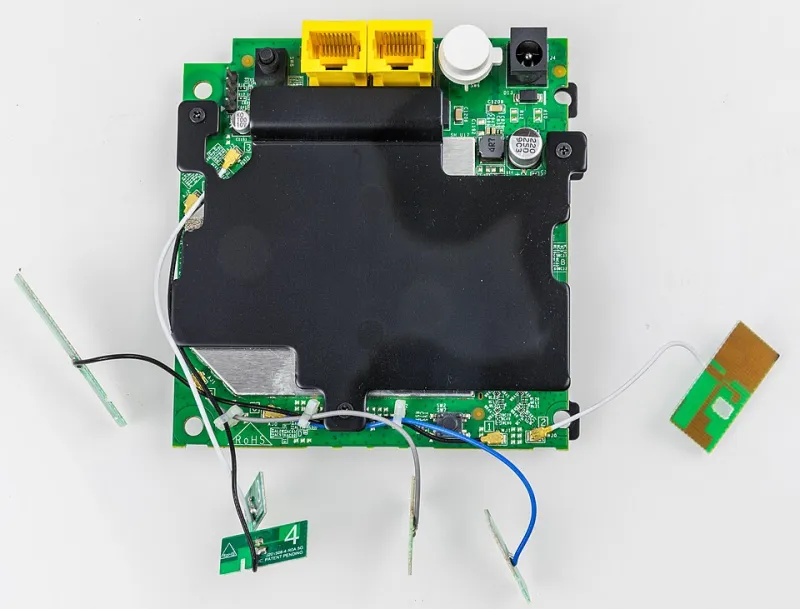
Photo: GliderMaven, CC BY-SA 4.0, via Wikimedia Commons
You've been there. The WiFi drops to one bar in the living room, you can barely stream Netflix in the garage, and your home office feels like it's running on dial-up. So you do what any reasonable person does — you grab a $40 range extender off Amazon, plug it into the wall halfway between your router and the dead zone, and wait for the magic to happen.
Except sometimes the magic doesn't come. Sometimes things actually get worse.
Here at WiFi Zone, we hear this story constantly. And the frustrating truth is that more hardware doesn't automatically mean more coverage. In fact, a poorly set up extender can quietly sabotage your entire home network without you ever realizing it's the culprit.
Why Extenders Seem Like a No-Brainer (But Often Aren't)
The logic makes total sense on the surface. Your router broadcasts a signal, that signal weakens over distance, so you add a device in the middle to boost it. Simple, right?
Not quite. Most standard WiFi extenders — the kind you find at Best Buy or Target — work by receiving your router's signal and then rebroadcasting it. That sounds fine until you understand the catch: they typically do both jobs on the same radio band. Receiving and transmitting on the same channel means the extender can cut your available bandwidth nearly in half just by existing.
So if your internet plan delivers 200 Mbps and your router is pushing that signal faithfully, connecting through an extender could effectively cap you at 100 Mbps or less before a single byte reaches your device. You traded one problem for another.
The Interference Problem Nobody Talks About
Bandwidth halving is just the beginning. Extenders also introduce something called co-channel interference — a situation where your extender and your main router are competing for the same airspace on overlapping channels.
Imagine two people having separate conversations in the same small room, both talking at the same volume. Everyone strains to hear their own conversation. That's essentially what's happening inside your walls when your router and extender aren't properly configured to play nicely together.
This is especially common in apartments and townhouses, where your neighbor's router is already crowding the 2.4 GHz band. Throw in your own extender broadcasting on a conflicting channel, and you've got a traffic jam with no off-ramp.
How to Tell If Your Extender Is Actually Helping
Diagnosing a problematic extender isn't complicated — it just requires a little detective work.
Run a speed test in three spots:
- Right next to your main router
- Connected to your extender's network
- In the dead zone you were originally trying to fix
If your extender speeds are dramatically lower than your router speeds — we're talking more than a 50% drop — your extender is bottlenecking your connection. If the dead zone still barely gets a usable signal even with the extender running, the extender is placed too far from the router to receive a strong signal worth rebroadcasting.
Also check whether your devices are actually switching to the extender when they should. Many phones and laptops are stubborn about holding onto the original router's network even when you're physically closer to the extender. If your device is clinging to a weak router signal when a stronger extender signal is available, you're getting the worst of both worlds.
The Real Alternatives Worth Considering
So if a basic extender isn't the answer, what is?
Reposition Your Main Router First
Before buying anything, try moving your primary router. Most people tuck it behind the TV or shove it in a corner cabinet — exactly the wrong approach. Your router should sit elevated, centrally located, and out in the open. A better router position can eliminate the need for an extender entirely in many average-sized American homes.
Upgrade to a Dual-Band or Tri-Band Extender
If you do need an extender, spend a little more for a dual-band model that uses one band to communicate with your router and the other to serve your devices. This eliminates the bandwidth-halving problem. Brands like TP-Link, Netgear, and ASUS all make solid options in the $60–$100 range that handle this properly.
Consider a Mesh System
For larger homes — think 2,000 square feet or more — a mesh WiFi system is almost always the smarter investment. Mesh systems like Google Nest WiFi, Eero, or the Netgear Orbi are designed from the ground up to work as a team. They use dedicated backhaul channels to communicate between nodes so your usable bandwidth doesn't take a hit, and they hand off your devices seamlessly as you move through the house.
Yes, a decent mesh setup costs more upfront. But if you've already burned $40 on an extender that made things worse, you're already on the path toward spending more anyway — just more slowly and with more frustration.
Powerline Adapters for the Truly Stubborn Dead Zones
If you have a room that WiFi simply refuses to reach — a basement, a detached garage, a far corner of a sprawling ranch house — powerline networking adapters are an underrated option. They send your network signal through your home's existing electrical wiring, letting you plug in a wired or wireless access point exactly where you need it. No signal degradation from distance, no interference fights. It's not glamorous, but it works.
The Framework: Extend, Mesh, or Move?
Here's a quick gut-check to help you decide:
- Move your router if your dead zones are within 30 feet of your current router placement and you've never actually optimized its position.
- Get a better extender if you have one specific dead zone in an otherwise well-covered home and you're comfortable doing a bit of channel configuration.
- Go mesh if you have a large home, multiple floors, or several devices that need reliable coverage everywhere.
- Use powerline adapters if you need coverage in a physically isolated area where WiFi signals struggle regardless of hardware.
The bottom line? Your network is only as strong as its weakest link — and sometimes that weakest link is the device you added to strengthen it. Before you throw more hardware at the problem, take ten minutes to understand what your current setup is actually doing. Your signal, your network, your power — but only if you use it wisely.