Is Your WiFi Password an Open Invitation? What Weak Security Really Costs You
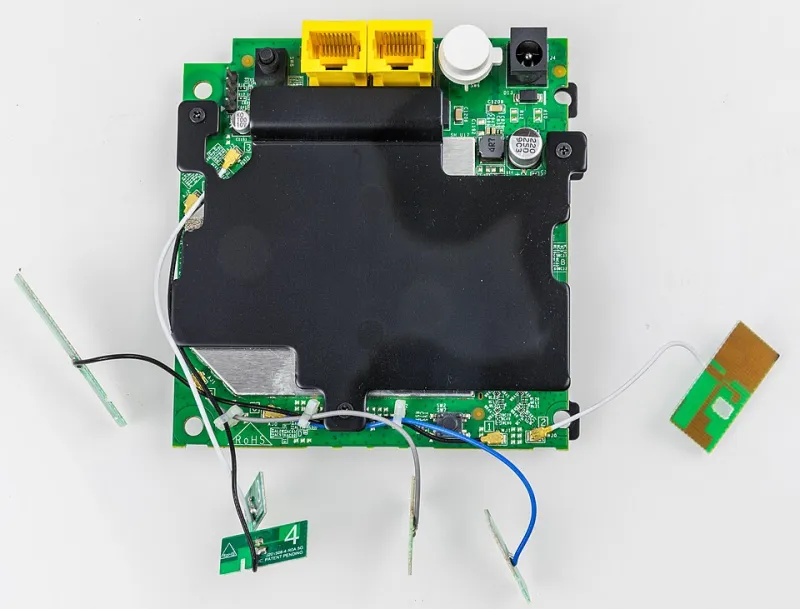
Photo: Raimond Spekking, CC BY-SA 4.0, via Wikimedia Commons
Let's be honest. When you set up your home WiFi, you probably typed in something like your dog's name, your street address, or — and please say this isn't you — the word "password." You told yourself you'd update it later. Later never came.
You're not alone. A significant chunk of American households are running home networks secured by passwords that a motivated teenager could crack on a lunch break. And the attitude behind it is usually some version of: "I'm just a regular person. Who's going to bother hacking me?"
This article is going to respectfully challenge that assumption — and then give you the tools to actually do something about it.
The "Nothing to Hide" Myth
The most common pushback we hear when we talk about home network security goes like this: "I don't do anything important on my WiFi. I just watch TV and browse Facebook. Hackers want banks and corporations, not me."
Here's the problem with that logic: attackers aren't always after your data. Sometimes they just want your network.
An unsecured or weakly secured home WiFi network can be used to:
- Steal your bandwidth — your neighbor streams 4K video all day on your dime while your speeds tank
- Launch attacks on other targets — your IP address gets associated with illegal activity that someone else is conducting
- Intercept unencrypted traffic — login credentials, personal messages, and browsing data can be visible to someone sitting in your driveway with a laptop
- Access devices on your network — smart TVs, security cameras, baby monitors, and connected home gadgets are often poorly secured and become easy entry points once someone is on your network
That last one should make you pause. You might not care if someone sees your Netflix queue. You probably care a lot more about someone watching your security camera feed.
A Quick History of WiFi Encryption (And Why It Matters)
Not all WiFi security is created equal. The encryption standard your network uses determines how difficult it is for an outsider to crack your password and intercept your traffic.
WEP (Wired Equivalent Privacy) — This is the dinosaur. Introduced in the late 1990s, WEP was broken so thoroughly that a determined attacker can crack it in under a minute with freely available tools. If your router is still using WEP, you effectively have no security. Upgrade your router.
WPA and WPA2 (WiFi Protected Access) — WPA2 has been the standard for most of the 2000s and 2010s and is still widely used. It's reasonably solid when paired with a strong password, but it has known vulnerabilities — particularly the KRACK attack discovered in 2017 — and weak passwords make it trivially brute-forceable.
WPA3 — This is the current gold standard. Introduced in 2018 and now required on WiFi 6 certified devices, WPA3 is significantly more resistant to offline dictionary attacks (a method where hackers try millions of password combinations without being connected to your network). If your router supports WPA3, turn it on.
To check what your network is using: on most Windows machines, click the WiFi icon, go to network properties, and look for the "Security type" field. On a Mac, hold Option and click the WiFi icon to see security details.
What Makes a Password Actually Weak
Let's talk specifics. These are the password patterns that security researchers — and hackers — know to target first:
- Default router passwords — If you never changed the password that came printed on your router's label, it's likely already in publicly available databases of default credentials
- Dictionary words — "sunshine," "football," "liberty" — any single word that appears in a dictionary can be cracked in seconds with automated tools
- Personal information — your address, your last name, your phone number, your kid's name — social engineering makes these easy to guess even without technical tools
- Short passwords — Anything under 12 characters is increasingly easy to brute-force with modern hardware
- Predictable substitutions — "P@ssw0rd" and "$unshine1" are not clever. Cracking tools are programmed to try these variations first
What a Strong WiFi Password Actually Looks Like
A strong WiFi password doesn't have to be impossible to remember — it just has to be hard to guess or compute.
The most practical approach: use a passphrase. String together four or five random, unrelated words: something like purple-anvil-rocket-Tuesday-lamp. It's long (great for resisting brute force), memorable (you can actually recall it), and weird enough that no dictionary attack is going to stumble onto it.
If you'd rather go fully random, a password manager like Bitwarden (free) or 1Password can generate and store a complex password for you. You only need to enter your WiFi password once per device, so complexity isn't the inconvenience it might seem.
Aim for at minimum: 12 characters, a mix of uppercase and lowercase letters, numbers, and at least one symbol. Longer is always better.
Your Home Network Security Audit Checklist
Take fifteen minutes this week and run through these items:
- Change your WiFi password if you've never done it or haven't done it in years
- Check your encryption standard — WPA2 minimum, WPA3 if your router supports it
- Update your router firmware — manufacturers release security patches, and most routers don't auto-update
- Rename your network (SSID) — don't broadcast your router model name (e.g., "NETGEAR_2G") which tells attackers exactly what vulnerabilities to target
- Set up a guest network for visitors and smart home devices — keep them isolated from your main network where your computers and phones live
- Disable WPS (WiFi Protected Setup) — this convenience feature has known security flaws and should be turned off in your router settings
- Check connected devices — log into your router's admin panel and look at what's connected. See anything unfamiliar? Change your password immediately
The Bottom Line
Your home WiFi network is the front door to every device in your house. A weak password is the equivalent of leaving that door propped open with a note that says "come on in."
You don't have to be paranoid about it. You don't need a cybersecurity degree. You just need fifteen minutes and a willingness to take it seriously. The people who exploit weak home networks aren't sophisticated state-sponsored hackers — they're often opportunistic, running automated scripts that scan neighborhoods for easy targets.
Don't be an easy target. Your signal is yours. Lock it down.