Six Gigahertz and a Dream: What WiFi 6E Actually Delivers Once You Get Past the Box
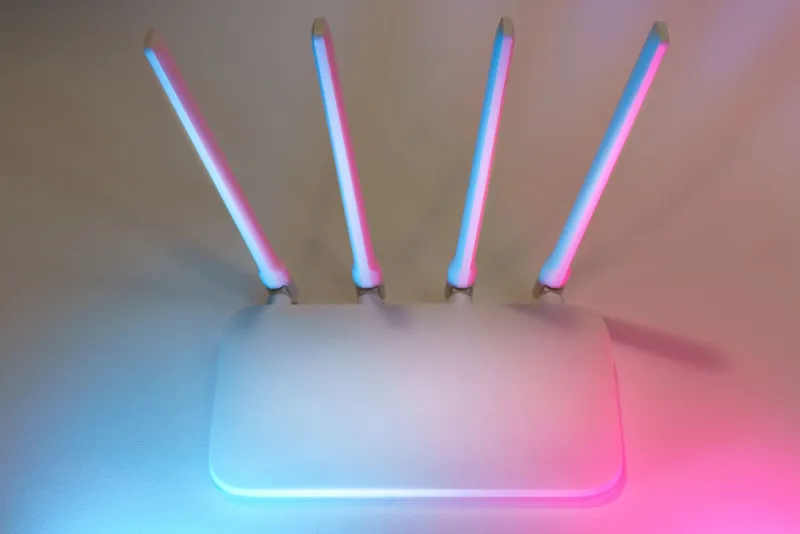
Walk into any Best Buy right now and the router aisle looks like a sci-fi prop department. Massive antennas, glowing RGB accents, and spec sheets packed with acronyms that sound impressive even when you have no idea what they mean. WiFi 6E sits at the top of the heap — the newest, shiniest standard, promising access to the 6GHz band and a dramatically less congested wireless experience.
And look, some of that promise is real. But a lot of it depends on factors that have nothing to do with the router sitting on your shelf. Before you commit to a $500-plus purchase, let's talk about what WiFi 6E genuinely offers, where it runs into walls, and who actually benefits from upgrading right now.
What Makes WiFi 6E Different in the First Place
To understand the 6E hype, you have to understand the problem it's solving. Traditional WiFi has operated on the 2.4GHz and 5GHz bands for years. Those bands are, to put it gently, absolutely packed. Your neighbors' routers, your smart home gadgets, Bluetooth devices, baby monitors, microwave ovens — they're all fighting over the same limited airspace. The result is interference, dropped connections, and speeds that never quite match what your ISP promised.
WiFi 6E adds a third band: 6GHz. In the US, the FCC opened up 1,200MHz of spectrum in that range back in 2020, which is a genuinely big deal. More spectrum means more lanes on the highway. Less congestion means faster, more consistent speeds — especially in dense environments like apartment buildings where every unit has its own router screaming into the void.
On paper, that's a compelling upgrade. In practice, the story gets more complicated.
The Device Problem Nobody Leads With
Here's the thing about a brand-new band: your existing devices can't use it. Not a single one of them, unless they were specifically built with 6GHz support. Your laptop from two years ago? 5GHz at best. Your smart TV, your security cameras, your old iPhone, your kid's tablet — all of them are locked out of the 6GHz band entirely.
For WiFi 6E to actually benefit you, you need client devices that support it. Right now, that list is growing but still pretty short. Some newer Android phones, a handful of recent laptops with Intel or Qualcomm chips, and newer iPads support 6GHz. But if you're running a mixed household — which basically everyone is — most of your traffic is still going to flow through the 2.4GHz and 5GHz bands, same as it always did.
That doesn't make a WiFi 6E router useless. It's future-proofing, and the 5GHz performance on these newer routers is often genuinely better than older hardware. But if you're buying specifically for the 6GHz advantage, make sure you actually own devices that can use it.
ISP Throttling and the Speed Ceiling You Can't Outrun
Here's a reality check that applies to any router upgrade, not just WiFi 6E: your router can only move data as fast as your internet connection allows. If your ISP plan tops out at 200Mbps, a $600 router isn't going to push you past that ceiling. Not even close.
Worse, some ISPs in the US still use traffic management practices that throttle certain types of usage during peak hours. Streaming, gaming, large file transfers — depending on your provider and your plan, you may be hitting artificial limits that have nothing to do with your router's capabilities. Upgrading to WiFi 6E won't fix that. Only upgrading your plan — or switching providers — will.
Before you spend big on new hardware, pull up a speed test at different times of day. If your speeds are consistently close to what you're paying for, your router might genuinely be a bottleneck. If they're wildly inconsistent, the problem is probably upstream.
FCC Rules and the Automatic Power Limits Baked Into 6GHz
The 6GHz band in the US operates under specific FCC rules that affect how it behaves in your home. One key detail: standard-power 6GHz operation requires Automated Frequency Coordination, or AFC. This system prevents interference with existing licensed users of that spectrum — things like fixed microwave links and satellite earth stations.
Most home routers currently operate in low-power indoor mode on 6GHz, which doesn't require AFC but also means reduced range. The 6GHz band already has shorter range than 5GHz due to physics — higher frequencies don't penetrate walls as well — and the power restrictions tighten that further. In a large home with thick walls or multiple floors, your 6GHz coverage area might be surprisingly small.
This isn't a dealbreaker, but it's something to factor in. If you're expecting 6GHz to blanket a 3,000 square foot house, you're going to be disappointed.
So Who Should Actually Buy a WiFi 6E Router Right Now?
Fair question. The answer isn't "nobody" — but it's also not "everyone."
You're a good candidate for WiFi 6E if:
- You live in a dense environment — an apartment complex or condo building where the 2.4GHz and 5GHz bands are genuinely clogged with neighbors' networks
- You own or are about to buy 6GHz-capable devices — newer flagship phones, recent laptops, or other hardware that can actually use the band
- You're on a fast internet plan — gigabit service or close to it, where your current router might actually be the limiting factor
- You're planning ahead — buying hardware now that will remain relevant as more 6E devices hit the market over the next few years
On the other hand, if you're in a suburban house with mostly older devices and a 200Mbps ISP plan, a solid WiFi 6 router (not 6E) will likely serve you just as well at a significantly lower price point.
Hidden Costs to Watch For
Beyond the sticker price, WiFi 6E routers often come with ecosystem lock-in. Many premium models push subscription-based security features, parental controls, or network management tools that cost extra after the first year. Read the fine print before you buy.
Also worth noting: if you're considering a mesh system with 6GHz backhaul — where the nodes talk to each other over the 6GHz band instead of your main network — that's actually one of the stronger use cases for the technology. A dedicated backhaul channel can meaningfully improve mesh performance. But those systems get expensive fast.
The Bottom Line
WiFi 6E is real technology solving a real problem. The 6GHz band offers genuine relief from congestion, and the routers built around it are often excellent pieces of hardware. But the upgrade only pays off when your devices, your home layout, your ISP plan, and your budget all line up in its favor.
Don't let the spec sheet make the decision for you. Figure out what's actually limiting your network right now — whether that's interference, coverage gaps, an aging router, or your ISP — and solve that specific problem. Sometimes that means a WiFi 6E router. Sometimes it means repositioning the router you already have.
Your signal, your network, your call.