When the Lights Go Out, Your WiFi Shouldn't: A Realistic Backup Plan for Any Budget
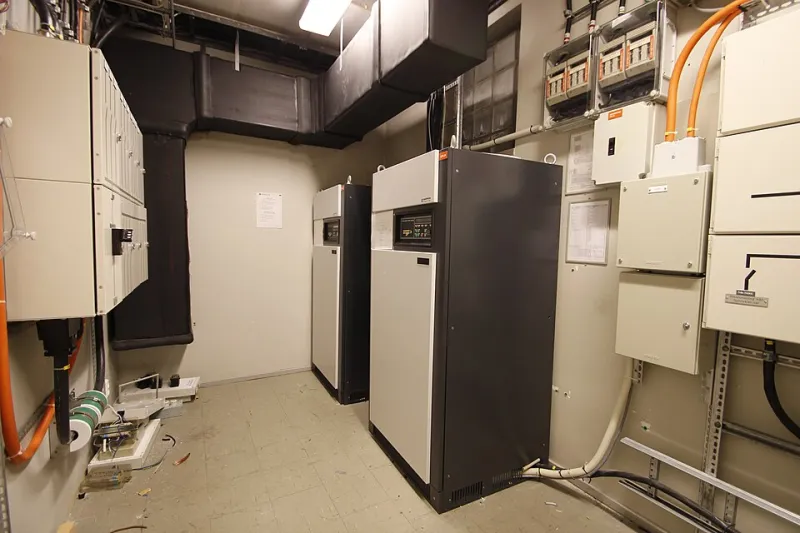
Photo: Work With Sounds, CC BY-SA 4.0, via Wikimedia Commons
Every year it seems like the outages get longer. Ice storms in Texas, hurricanes in Florida, heat waves straining the grid in California — and when the power dies, most home networks die with it, leaving people refreshing a phone on 4% battery trying to find out when it's coming back.
Here's the thing: a resilient home network doesn't require a generator or a second mortgage. It's a layered problem, and you can buy meaningful protection at almost any budget. Let's build it out in tiers.
Tier 1: Under $50 — Keep the Essentials Alive
The cheapest resilience upgrade isn't a gadget — it's a plan.
Know what your ISP does when the power's out. Fiber neighborhoods often stay lit because the local cabinet has battery backup; cable and DSL nodes may not. Call or check your provider's outage documentation so you know whether backup power on your end is even worth it. There's no point keeping a router alive if the neighborhood node feeding it is dark.
Download your offline kit. Offline maps of your area, a list of emergency numbers, and your utility's app all cached before the storm. It's not networking gear, but connectivity planning starts with knowing what to do when there is none.
If you've got a little more room in the budget, a small power bank keeps phones charged, which is the single most important endpoint in any outage.
Tier 2: $50–$150 — Battery-Back Your Connection Point
This is the sweet spot for most households: a compact UPS (uninterruptible power supply) for your modem and router.
A basic 400–600VA unit costs less than a nice dinner and will keep a modem and router running for one to four hours, depending on the gear. That's usually enough to ride out a brownout or a short outage entirely — and during longer ones, it keeps your network up long enough for your backup connection (more on that below) to matter.
Two tips:
- Plug only the modem, router, and maybe one access point into the battery side. A TV or gaming console will drain it in minutes.
- Get a UPS with a USB notification port if you can — some can signal a device before the battery dies.
Tier 3: $150–$400 — Add a Second Way Out
Battery power keeps your network alive, but it can't conjure internet if your ISP's infrastructure is down. That's where cellular failover comes in.
Your options, roughly in order of commitment:
-
A hotspot or a spare phone on an unlimited plan. Free if you already own it. During an outage, your UPS-backed router won't broadcast the hotspot for you, but your devices can hop to the hotspot directly. Clunky, but it works.
-
A dedicated 5G/ LTE home internet device (T-Mobile, Verizon, and AT&T all sell them). If your primary is cable or fiber, a cellular home internet plan as a secondary gives you a genuinely independent path to the internet. Set your most important device — a laptop or tablet — to switch to it manually when the primary drops.
-
A true failover router. Travel routers and small business routers with dual-WAN support can take a USB or Ethernet LTE modem and automatically switch when the primary line dies. This is the set-it-and-forget-it version, and it's worth it if you work from home and outages cost you real money.
The key concept: path diversity. Your fiber line and a cellular connection don't share the same poles, the same nodes, or the same failure modes. When one goes down, the other usually doesn't.
Tier 4: $400+ — The Whole-Home Resilient Setup
If you're serious, combine the layers:
- A UPS on the modem and primary router
- A dual-WAN router with automatic LTE failover
- A mesh system with battery-backed nodes (some newer mesh units have internal batteries, or you can put a node on a small UPS)
- A dedicated cellular home internet line as WAN #2
At this point, a storm knocks out power and your household keeps streaming, your work call keeps going, and your security cameras keep recording — at least until the UPS batteries drain. Pair it with a portable power station (a big battery pack, essentially, in the $300–$600 range) and you can extend that runtime dramatically.
Don't Forget the Human Layer
Hardware aside, resilience is also a habit. Test your failover setup twice a year — unplug the modem and make sure your backup path actually works, because a failover plan that's never been tested is just a hope. Keep the ISP outage number in your phone. And label which outlet the UPS lives in, so the next person in the house doesn't plug a space heater into it.
The grid is going to do what the grid is going to do. Your network, though, can be the one part of the house that doesn't flinch.